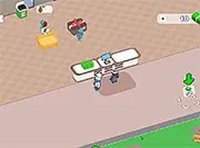
Kitten Breakfast Helper

Pin Ember Games
2026-10-01
Kids Family Care

Reviews

Kitten Breakfast Helper succeeds as a first simulation for young children because it limits itself to one clear routine: warm the liquid, mix the grains, and keep the kitten comfortable. The visual mood cues and gentle scoring create a low-stress loop that rewards calm attention rather than speed. Its main limitation is repetition; the same basic sequence plays out each session, so older children may outgrow it quickly. For toddlers and families seeking shared, non-competitive screen time, the game offers a focused and appropriate introduction to pet care.

About This Game

Preparing the Morning Meal

Kitten Breakfast Helper opens in a bright kitchen where a parent figure is getting ready to feed a small cat. The first job is to warm up a liquid, then combine it with dry grains to form a suitable meal. These steps must be completed in order, mirroring a real morning routine. For young players, the sequence teaches that pet care involves preparation and timing, not just play. The game emphasizes gentle handling and attention to detail as each action builds on the last.

Reading the Kitten's Mood

Once the food is ready, the focus shifts to the kitten itself. The pet shows its mood through simple visual cues, such as a happy or sad expression. Players tap or click to comfort the cat when it becomes upset, while also making sure the food stays warm. This creates a light multitasking challenge: the kitten's mood changes unpredictably, so players cannot simply repeat one action. The dual responsibility of feeding and soothing encourages children to prioritize and stay calm under mild pressure.

Visual Style and Atmosphere

The game uses bright, cheerful colors and simple shapes to create an inviting space. Characters are drawn with soft lines and friendly faces, making them approachable for very young children. The background features a warm kitchen setting with familiar items like bowls and cups, reinforcing the everyday theme. This visual approach keeps attention on the nurturing tasks without unnecessary distractions, and the calm pace supports a low-stress experience.

Learning Through Repetition

Repeated play allows children to improve their timing and observation skills. Each session presents the same basic routine, but the kitten's mood changes unpredictably, requiring quick reactions. Over time, players learn to anticipate the pet's needs and manage their attention more effectively. The scoring system provides gentle feedback, encouraging improvement without creating stress. This structure supports skill development in a natural, enjoyable way.

Family-Friendly Interaction

The controls are designed for small hands, using simple taps or clicks that toddlers can manage independently. Older children may find the challenge of balancing tasks engaging, while adults can join in to discuss pet care responsibilities. The game promotes positive values like patience, empathy, and routine, making it a suitable choice for shared screen time. Its calm pace and rewarding feedback loop create a satisfying experience for all ages.

Editorial Notes

Compatibility

Play on Any Device | Chrome / Safari / Edge Recommended

Faq

What age group is Kitten Breakfast Helper designed for?
The game targets very young children, including toddlers and early elementary ages. Its simple tap and click controls, friendly visuals, and low-pressure routine are built for small hands and short attention spans. Older children may still enjoy the light multitasking challenge, and adults can play alongside to guide discussion about pet care.
Do I need to read text to play Kitten Breakfast Helper?
No reading is required. The game communicates through visual cues, such as the kitten's happy or sad expression and the state of the food. Players follow the sequence by observing what needs to happen next, which makes it accessible to pre-readers and children still developing literacy skills.
What skills does Kitten Breakfast Helper help children practice?
The routine builds sequencing, timing, and observation. Children must warm the liquid, mix it with grains, and then watch the kitten's mood while keeping the food warm. This encourages multitasking, patience, and empathy in a low-stakes setting where mistakes lead to gentle feedback rather than failure.
Is there a way to lose or fail in Kitten Breakfast Helper?
The game is designed without harsh failure states. If the kitten becomes upset or the food cools, players can respond by tapping or clicking to comfort the cat or re-warm the meal. The scoring system offers gentle feedback, so children learn from mistakes without stress or punishment.
Can multiple children play Kitten Breakfast Helper together?
The input describes a single-player experience with simple tap or click controls. It does not mention multiplayer or simultaneous play. However, the calm pace and shared screen make it easy for an adult and child, or two children, to take turns and discuss the steps together.
How long does a typical session of Kitten Breakfast Helper last?
Each session follows the same basic morning routine: warm the liquid, mix the meal, and care for the kitten. The exact length depends on how quickly the player responds to the kitten's mood changes. Because the routine is short and repeatable, sessions fit naturally into brief play periods for young children.

Comments

0 comments
U
User
Loading comments...
// ===== Favorite ===== var isFavorited = false; var isToggling = false; function showToast(message, type) { type = type || 'success'; let toast = document.querySelector('.toast-message'); if (!toast) { toast = document.createElement('div'); toast.className = 'toast-message'; document.body.appendChild(toast); } toast.textContent = message; toast.className = 'toast-message ' + type; setTimeout(function () { toast.classList.add('show'); }, 10); setTimeout(function () { toast.classList.remove('show'); }, 3000); } async function checkFavoriteStatus() { var btn = document.getElementById('favoriteBtn'); if (!btn) return; var gameId = btn.dataset.gameId; if (typeof apiService === 'undefined' || !apiService.isLoggedIn()) return; try { var fav = await apiService.checkFavorite(gameId); isFavorited = fav; updateFavoriteButton(); } catch (e) { console.error('Check favorite status error:', e); } } function updateFavoriteButton() { var btn = document.getElementById('favoriteBtn'); if (!btn) return; if (isFavorited) { btn.classList.add('favorited'); } else { btn.classList.remove('favorited'); } } async function toggleFavorite() { var btn = document.getElementById('favoriteBtn'); if (!btn) return; var gameId = parseInt(btn.dataset.gameId); if (typeof apiService === 'undefined' || !apiService.isLoggedIn()) { showToast('Please login first', 'warning'); return; } if (isToggling) return; isToggling = true; try { var result; if (isFavorited) { result = await apiService.removeFavorite(gameId); } else { result = await apiService.addFavorite(gameId); } if (result.code === 0) { isFavorited = !isFavorited; updateFavoriteButton(); showToast(isFavorited ? 'Added to favorites' : 'Removed from favorites', 'success'); } else if (result.code === 401) { showToast('Please login first', 'warning'); } else if (result.code === 400) { await checkFavoriteStatus(); showToast(result.msg || 'Operation failed', 'error'); } else { showToast(result.msg || 'Operation failed', 'error'); } } catch (e) { console.error('Toggle favorite error:', e); showToast('Network error, please try again', 'error'); } finally { isToggling = false; } }