Airplane Coloring Studio for Young Artists

Hex Shift Studio
2024-12-05
2026-07-30
Children Creative Learning Fine Motor Skills
Advertisement

Reviews

This browser-based coloring activity provides a calm space for young children to experiment with colors. The airplane theme offers enough variety to maintain interest across multiple sessions. Controls are intuitive: touchscreen users paint with a finger, while desktop users click and drag. The ability to print finished artwork adds a nice tangible reward. No accounts or downloads means zero setup friction for parents. The activity successfully turns screen time into a focused, creative experience without any competitive elements that might cause stress. It is a solid choice for families seeking a safe, constructive digital pastime for preschoolers and early elementary children.

About This Game

Getting Started

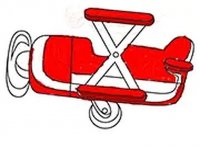
Children begin by browsing a selection of airplane images on the main screen. Each outline offers a different aircraft shape, from simple prop planes to larger jet designs. Tapping or clicking an image loads it into the coloring workspace. A color palette appears on the side, along with a few pencil size options. Young users can pick a color, choose a pencil thickness, and start filling in the sections of the airplane. The interface uses large, clearly labeled buttons that are easy for small hands to press. No reading skills are required, so even preschoolers can participate independently.

Painting Controls

On touchscreen devices like tablets or phones, children paint by dragging a finger across the screen. The color follows the fingertip, allowing for precise control. On desktop computers, a mouse click and drag performs the same action. The pencil size can be adjusted at any time: a smaller size works well for details like windows or wing edges, while a larger size fills bigger areas quickly. Colors can be swapped freely, so mistakes are easy to fix by painting over them. This simplicity keeps frustration low and encourages experimentation.

Creative Exploration

The activity is designed to be open-ended. There are no timers, scores, or right answers. Children can spend as much time as they like on a single picture, trying different color combinations. They might color an airplane in realistic shades or use wild, imaginative colors. The process helps build concentration and decision-making skills as they choose which section to paint next. Some children enjoy creating patterns, while others prefer solid fills. Both approaches are equally valid and supported by the tools provided.

Sharing the Artwork

When a picture is finished, families can print a physical copy directly from the browser. This turns the digital activity into a tangible keepsake that can be displayed on a refrigerator or given as a gift. The print function is simple: one button sends the colored image to a connected printer. This feature also allows parents to save a collection of their child's artwork over time, documenting their creative progress. The printed pages can be used for further decoration with crayons or markers if desired.

Safe and Accessible Design

Because the game runs entirely in a web browser, there is no need to install software or create an account. It works on smartphones, tablets, laptops, and desktop computers. The interface contains no chat features, external links, or user-generated content, making it a safe environment for unsupervised play. No personal information is collected. The activity is free to use, with advertisements displayed in a manner that does not interrupt the coloring process. Parents can feel confident letting their children explore this space.

Compatibility

This H5 game runs smoothly on:
â€ĸ Desktop computers (Windows / Mac) â€ĸ Mobile phones (iPhone / Android)
â€ĸ Tablets (iPad / Android)
🌐 Best experienced with Chrome, Safari, or Edge

Faq

Is Airplane Coloring Studio for Young Artists free to use?
Yes, the coloring activity is completely free. It is supported by advertisements that appear on the page but do not interrupt the painting process. There are no hidden fees or subscription requirements.
What devices work with this coloring game?
The game works on any device with a modern web browser, including smartphones, tablets, laptops, and desktop computers. Both touchscreen and mouse inputs are supported. No downloads or app installations are needed.
Can my child save their finished artwork?
The game includes a print function that allows families to produce a physical copy of the colored image. This printed page can be kept as a keepsake. The game does not offer a digital save feature, but printing provides a tangible result.
What age group is this activity designed for?
The simple interface and large buttons make it suitable for children as young as three years old. Older children up to around eight years old may also enjoy the creative freedom. The activity does not require reading skills.
How many airplane images are available to color?
The game offers a variety of airplane outlines, including different shapes and sizes. While the exact number may vary, there are enough images to provide repeated play without immediate repetition. New images are not added regularly.
Does the game include any competitive or timed elements?
No. The activity is purely creative with no timers, scores, or competitive features. Children can color at their own pace without pressure. This makes it a relaxing pastime that focuses on artistic expression rather than performance.

Comments

0 comments
U
User
Loading comments...